

“Star Wars Battlefront 2” is an engaging multiplayer shooter that brings the epic battles of a galaxy far, far away to life. However, technical glitches can sometimes stand in the way of intergalactic heroism, and one of the most frustrating is Error Code 721. This persistent error typically appears when players attempt to connect to the game’s servers, often causing confusion and disruption.
TL;DR: Players receiving Error Code 721 in “Star Wars Battlefront 2” are generally encountering a network-related issue, often tied to EA server outages or local network configuration problems. Solutions include checking server status, rebooting hardware, adjusting DNS settings, or tweaking IP configurations. This guide walks players through practical steps to fix this issue and get back to gameplay quickly. Scroll down for a detailed fix guide and a helpful FAQ section.
What Is Error Code 721 in Battlefront 2?
Error Code 721 is a connection issue that prevents players from accessing EA’s online servers. This error is frequently accompanied by messages like “Failed to connect to the EA Servers” on the screen. It can appear across various platforms including PC, Xbox, and PlayStation, and is commonly tied to network incompatibilities or temporary server-side problems.
Here are a few common reasons players see Error Code 721:
- EA servers are down or undergoing maintenance
- ISP compatibility issues with EA’s network
- Corrupted game data or installation files
- Router-related issues (NAT problems or IP conflicts)
- Incorrect DNS or IP settings on the console or PC
How to Fix Error Code 721
If you are running into Error 721 when attempting to connect to multiplayer matches, follow these troubleshooting steps to get your game back online:
1. Check EA Server Status
Before tweaking settings or restarting devices, verify that the problem isn’t on EA’s side. Sometimes, Battlefront 2 servers go down due to maintenance or outages.
- Visit EA Help Server Status page
- Check EA’s official Twitter accounts for service updates
- Use third-party sites like Downdetector for user reports
If the servers are down, the only fix is patience. Wait until EA resolves the issue.
2. Power Cycle Your Modem and Router
Sometimes, simple hardware resets can solve complex connection issues. Restarting your router and modem clears temporary glitches that might block server access.
- Turn off your console or PC
- Unplug your modem and router from the power source
- Wait at least 1 minute
- Plug everything back in and wait for full connection
- Turn on your console or PC and relaunch the game
This quick fix has resolved Error 721 for many users experiencing local network hiccups.
3. Switch to Google DNS Settings
Internet Service Providers typically assign their own Domain Name Servers (DNS), but switching to alternative DNS servers like Google’s can often resolve compatibility issues with online services.
Here’s how to change your DNS settings:
For PC:
- Go to Control Panel > Network and Sharing Center > Change adapter settings
- Right-click your active network > Properties
- Click on “Internet Protocol Version 4 (TCP/IPv4)” and then on “Properties”
- Select “Use the following DNS server addresses”:
- Preferred DNS: 8.8.8.8
- Alternate DNS: 8.8.4.4
- Click OK and restart your PC
For PlayStation and Xbox consoles:
- Navigate to your network settings
- Choose “Manual” setup for DNS
- Input:
- Primary DNS: 8.8.8.8
- Secondary DNS: 8.8.4.4
4. Disable UPnP or Change NAT Type
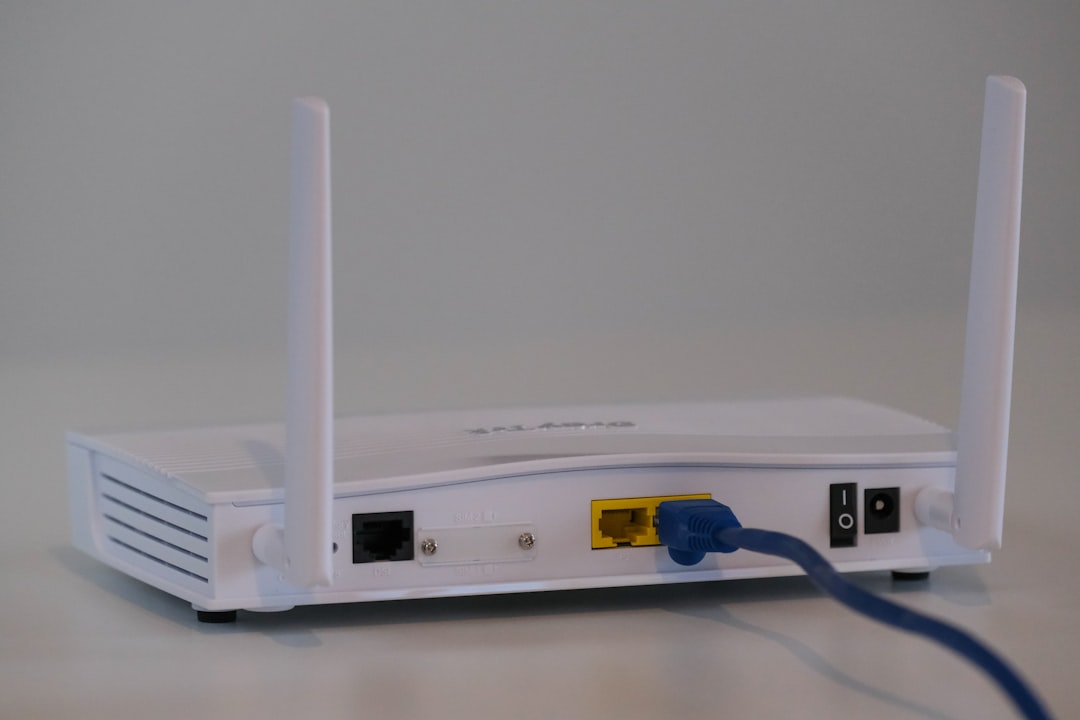
Universal Plug and Play (UPnP) is useful for network configuration but can conflict with online gaming. In some cases, disabling UPnP or switching your NAT type fixes Error Code 721.
Steps to disable UPnP:
- Login to your router through a web browser (usually 192.168.1.1 or 192.168.0.1)
- Look under the “Advanced” or “Network Settings” tab
- Find and disable UPnP
- Save changes and reboot the router
Alternatively, placing your console in DMZ (Demilitarized Zone) can help direct unrestricted traffic to your device, resolving strict NAT issues. However, this is more technical and you should consult your router manual or ISP for guidance.
5. Reinstall Battlefront 2
If none of the above fixes work, the game files themselves may be corrupted. A clean reinstallation of the game can repair any integrity issues.
- On PC: Uninstall the game via EA Desktop or Origin, then reinstall
- On Console: Delete the game and redownload it from the game library or store
Make sure to backup any local data or game saves before uninstalling to avoid data loss.
6. Contact EA Support
Still stuck with Error 721? Reach out to EA Support with full details about your error, platform, and network setup. They may be able to provide a more customized solution or inform you of known, temporary service problems.
Image not found in postmetaPreventing Future Occurrences
To reduce the chances of seeing Error Code 721 again:
- Keep your game and system software updated
- Restart your modem/router regularly
- Use a wired Ethernet connection if possible
- Check for router firmware updates
- Avoid using VPNs or proxies while gaming
Conclusion
Error Code 721 in “Star Wars Battlefront 2” can be frustrating, especially when all you want is to jump into a quick match. Fortunately, most causes are temporary or fixable with a bit of troubleshooting. Whether the issue lies with EA’s servers or your local network, this guide offers practical methods to reconnect you with the multiplayer battlefield.
Frequently Asked Questions (FAQ)
What does Error Code 721 mean in Battlefront 2?
It means your system cannot connect to EA’s game servers, typically due to network issues or server outages.
Is the problem on EA’s side?
Sometimes. The first step is always checking the EA server status to determine if it’s a broader issue.
Will changing DNS settings improve my connection?
In many cases, yes. DNS issues are a common cause of Error 721, and switching to Google DNS can help establish a more stable connection.
Are consoles and PC affected equally?
Yes, Error 721 can appear across all platforms – PlayStation, Xbox, and PC – when trying to access EA servers.
What is the fastest fix for Error 721?
Restarting your router and switching DNS settings are usually the quickest and most effective early fixes.
Should I contact EA support if nothing works?
Absolutely. If all troubleshooting steps fail, EA support may have additional solutions or insight into ongoing issues.