

Choosing the right ad blocker is no longer a minor technical decision—it directly affects your privacy, browsing speed, network security, and even how smoothly your smart home devices operate. Two of the most respected solutions available today are AdGuard and Pi-hole. While both aim to eliminate intrusive ads and trackers, they approach the problem from different angles and serve different types of users. Understanding their differences is essential before committing to either one.
TLDR: AdGuard is a polished, user-friendly ad blocker that works across devices with minimal setup and strong filtering capabilities, making it ideal for most users. Pi-hole is a powerful, network-wide solution best suited for technically inclined users who want granular control and hardware-level filtering. If you want simplicity and quick deployment, choose AdGuard. If you prefer deep customization and full control over your entire network, Pi-hole is likely the better choice.
Understanding the Core Difference
At a high level, AdGuard and Pi-hole differ in where and how they block ads.
- AdGuard can operate as a standalone application (on Windows, macOS, Android, iOS) or as a DNS-based network solution (AdGuard DNS or AdGuard Home).
- Pi-hole is a network-level DNS sinkhole that blocks ads for every device connected to your local network.
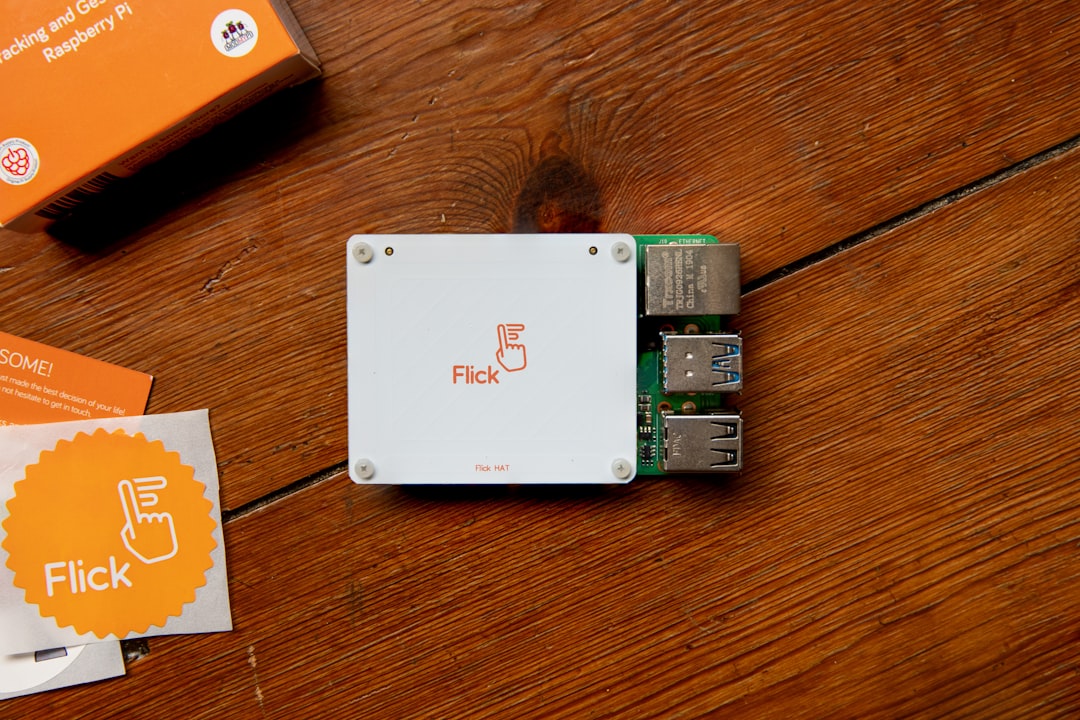
In simple terms, AdGuard often works at the device level (though it can also be network-based), while Pi-hole works at the network level, requiring installation on dedicated hardware such as a Raspberry Pi or a Linux server.
Ease of Installation and Setup
For many users, installation difficulty is the deciding factor.
AdGuard: Designed for Simplicity
AdGuard’s apps are designed for straightforward installation. You download the application, follow the installation prompts, and begin filtering traffic almost immediately. No external hardware, command-line configuration, or DNS configuration changes are necessarily required for basic use.
Advantages:
- Beginner-friendly interface
- Quick installation process
- No additional hardware required
- Automatic filter updates
Even the more advanced AdGuard Home version, which works similarly to Pi-hole at the DNS level, includes a guided web-based setup that simplifies deployment.
Pi-hole: More Technical, More Involved
Pi-hole requires more effort. Typically installed on a Raspberry Pi running Linux, it involves:
- Setting up compatible hardware
- Installing a Linux distribution
- Running installation scripts
- Configuring your router to use Pi-hole as the primary DNS server
While comprehensive guides exist, this process demands at least moderate technical familiarity. For users comfortable with networking and Linux basics, this is manageable. For complete beginners, it may feel overwhelming.
Verdict: If ease of setup is your top priority, AdGuard clearly has the advantage.
Performance and Blocking Capabilities
Both solutions are highly effective, but their filtering methods differ.
AdGuard’s Multi-Layer Filtering
AdGuard applications go beyond simple DNS blocking. They can:
- Block ads at the browser level
- Use cosmetic filtering to remove page elements
- Prevent tracking scripts from loading
- Block phishing and malicious domains
Because it operates closer to the browser or at the system level, AdGuard can remove empty ad placeholders and clean up webpage layouts. This leads to a more visually polished browsing experience.
Pi-hole’s DNS-Level Blocking
Pi-hole operates strictly at the DNS level. When a device attempts to contact an advertising domain, Pi-hole intercepts the request and blocks it.
Strengths:
- Blocks ads across all connected devices
- Works on smart TVs, game consoles, IoT devices
- Requires no client software installation
Limitations:
- Cannot remove ads served from the same domain as content
- No cosmetic filtering
- Limited ability to modify web page layout
For example, YouTube ads are difficult for Pi-hole to block consistently because they often originate from the same domain as the video content itself.
Verdict: For deeper, more refined ad blocking within browsers, AdGuard is superior. For broad, network-wide protection, Pi-hole excels.

Privacy and Data Control
Privacy-conscious users often prioritize transparency and local control.
Pi-hole’s Local Independence
Pi-hole runs entirely on your local network. No filtering queries need to leave your network unless you configure upstream DNS servers that log queries. This localized control appeals strongly to privacy purists.
You decide:
- Which blocklists to use
- Which DNS resolver to rely on
- Whether logs are stored and for how long
The system is fundamentally self-hosted.
AdGuard’s Flexible Options
AdGuard provides both local applications and cloud-based DNS options. If using the standalone app, most filtering happens locally. However, using AdGuard DNS involves routing queries through their servers.
AdGuard has a strong privacy policy and industry credibility, but users must trust a third party if they use its hosted DNS service.
Verdict: Pi-hole offers maximum autonomy. AdGuard offers strong privacy but may involve external infrastructure depending on configuration.
Device Compatibility and Coverage
Modern households contain far more than laptops and smartphones.
Pi-hole: Network-Wide Protection
One of Pi-hole’s greatest strengths is universal coverage. Once configured at the router level, it protects:
- Smart TVs
- Streaming devices
- Gaming consoles
- Smart home devices
- Guest devices on your network
No software installation is required on individual devices.
AdGuard: Flexible but Device-Based (Mostly)
AdGuard apps must generally be installed per device unless you use AdGuard Home. For individuals with many devices or frequent guests, this may require more administrative effort.
However, AdGuard offers polished apps for major operating systems and mobile platforms, making it especially strong for users who need reliable mobile ad blocking.
Verdict: For whole-home convenience with minimal per-device management, Pi-hole stands out.

Customization and Control
Advanced users often value configurability above all else.
Pi-hole’s Granular Control
Pi-hole provides detailed logs and statistics. You can:
- Analyze query logs per device
- Whitelist or blacklist domains manually
- Import custom blocklists
- Create group-based filtering rules
This level of customization makes Pi-hole particularly appealing to network administrators and technical hobbyists.
AdGuard’s Structured Simplicity
AdGuard offers fine-tuned filter adjustments, but within a controlled interface designed to prevent accidental misconfiguration. It is powerful, yet guided.
For most users, this is an advantage. For power users seeking complete DNS infrastructure control, it may feel slightly constrained compared to Pi-hole.
Maintenance and Reliability
Maintenance requirements differ significantly between the two solutions.
- AdGuard: Automatic updates, minimal manual intervention, professional support options available.
- Pi-hole: Requires manual updates, occasional troubleshooting, and hardware reliability considerations.
A Raspberry Pi may run reliably for years, but it remains an additional hardware component that can fail or lose power. AdGuard, when running as a desktop or mobile app, avoids this dependency.
Cost Considerations
Pi-hole software is free and open-source. However, you may need:
- A Raspberry Pi or other server hardware
- Power supply and storage
- Time investment in setup and maintenance
AdGuard offers both free and paid versions. Premium features require a subscription or license fee, especially for advanced cross-device protection.
In purely financial terms, Pi-hole can be cheaper long-term, but it comes with higher technical demands.
Which Should You Choose?
The answer depends entirely on your priorities.
Choose AdGuard if:
- You want quick and easy deployment
- You value cosmetic filtering and polished browsing
- You need effective mobile device protection
- You prefer a professionally supported product
Choose Pi-hole if:
- You want full network-wide blocking
- You are comfortable with Linux and DNS configuration
- You value complete local control
- You enjoy customizing and managing your infrastructure
Final Assessment
Both AdGuard and Pi-hole are mature, respected solutions with strong communities and proven track records. Neither choice is wrong—but they serve different audiences.
AdGuard is the practical, user-friendly option delivering comprehensive blocking with minimal effort. Pi-hole is the powerful, self-hosted alternative designed for users who prefer hands-on control over their network environment.
For most households seeking reliable ad blocking with minimal setup, AdGuard is likely the more convenient solution. For technically inclined users who want a centralized, hardware-based approach with maximum customization, Pi-hole remains an exceptional and highly capable choice.
Ultimately, the best ad blocker is the one that aligns with your technical confidence, privacy philosophy, and network structure.